2-2-2 Workout app icon

2-2-2 Workout

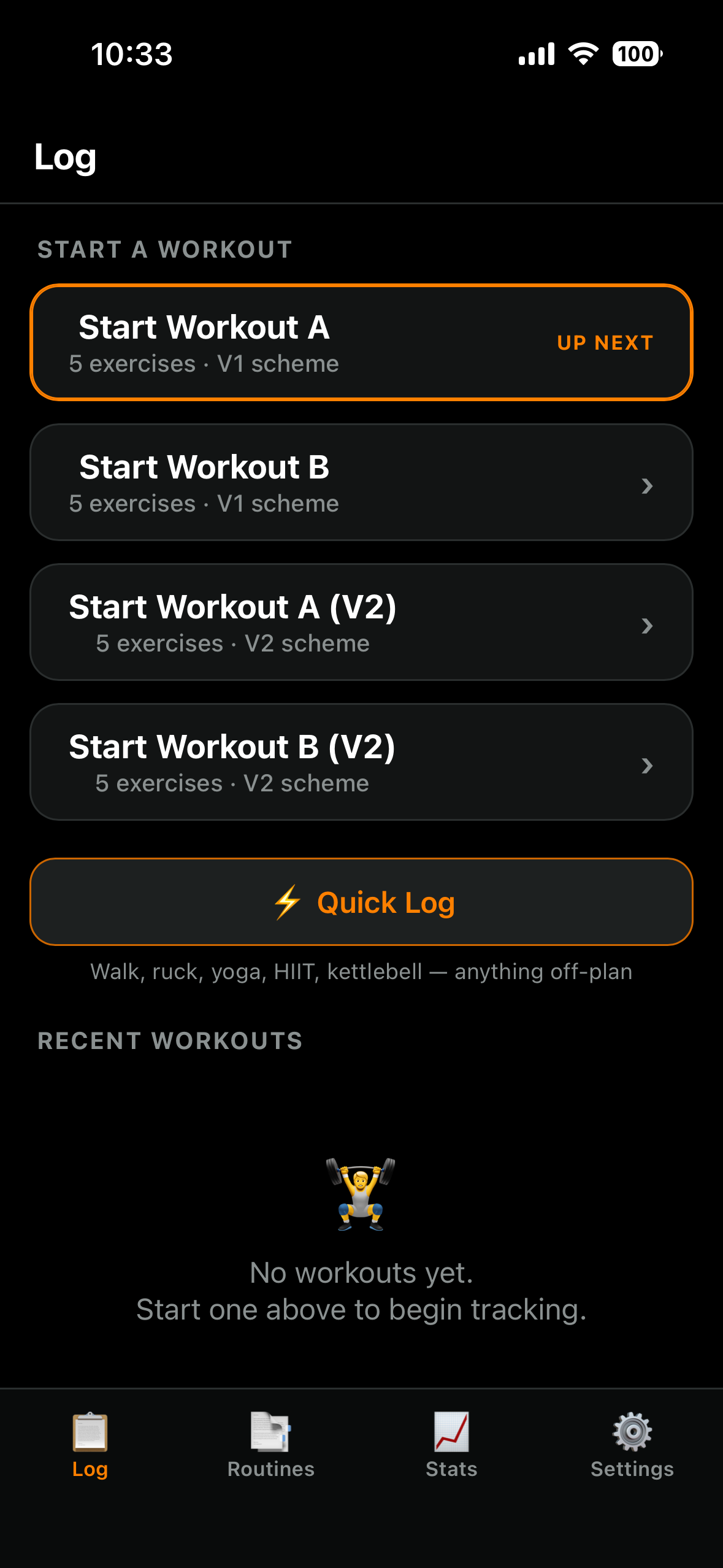
An offline-first iPhone gym tracker I built from scratch to replace RepCount. No framework, no backend, all data stays on the device.

Progressive Web App Works offline Vanilla JavaScript iOS home-screen install

What it is

2-2-2 Workout is a Progressive Web App for tracking my own gym training. It runs fully offline on my iPhone and stores everything locally, so there are no accounts and nothing leaves the device.

It follows the 2-2-2 method I found on YouTube, plus a few tweaks of my own for travel days: two workouts a week, with built-in progression that tells me exactly what to lift each session.

I built it because the app I was using didn't fit how I actually train.

Screenshots

Workout log screen
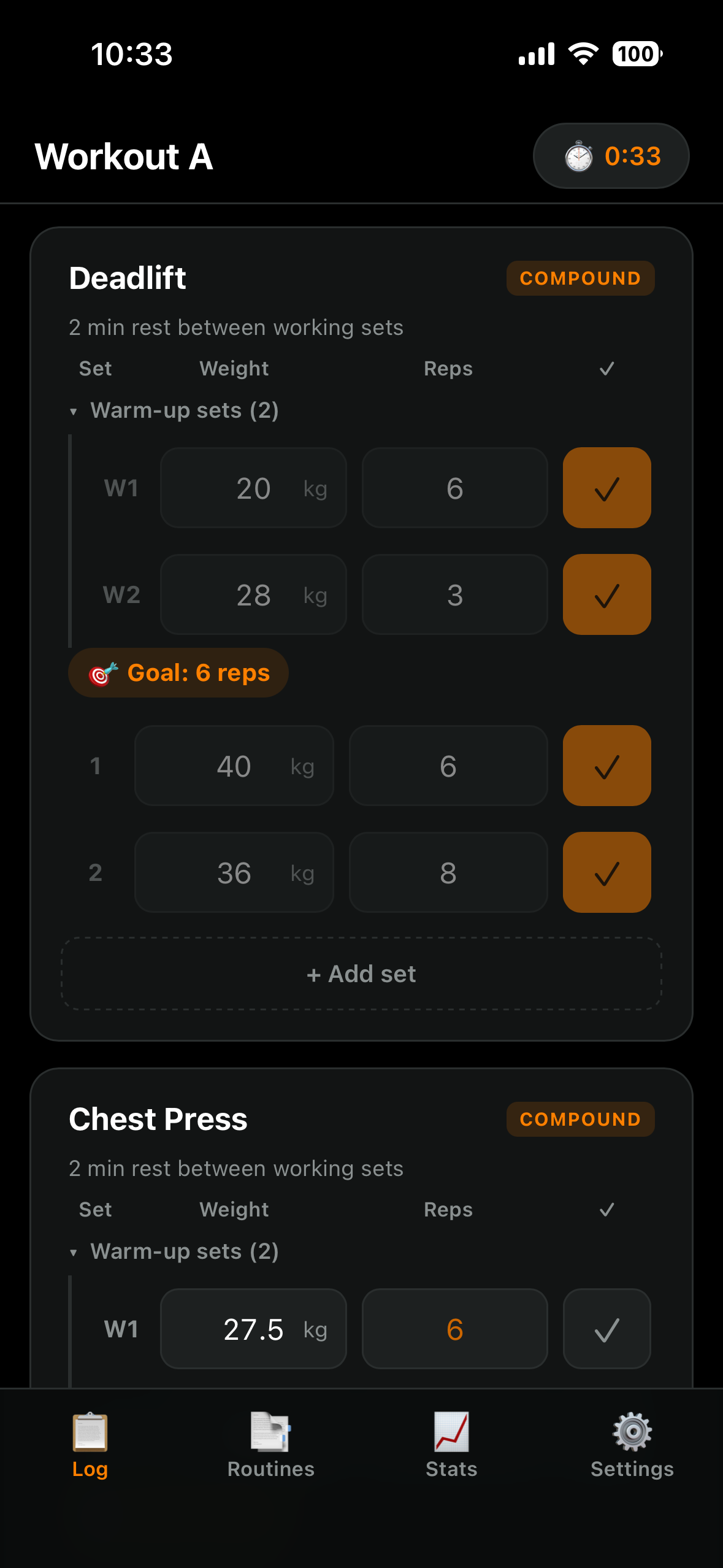
Active workout screen
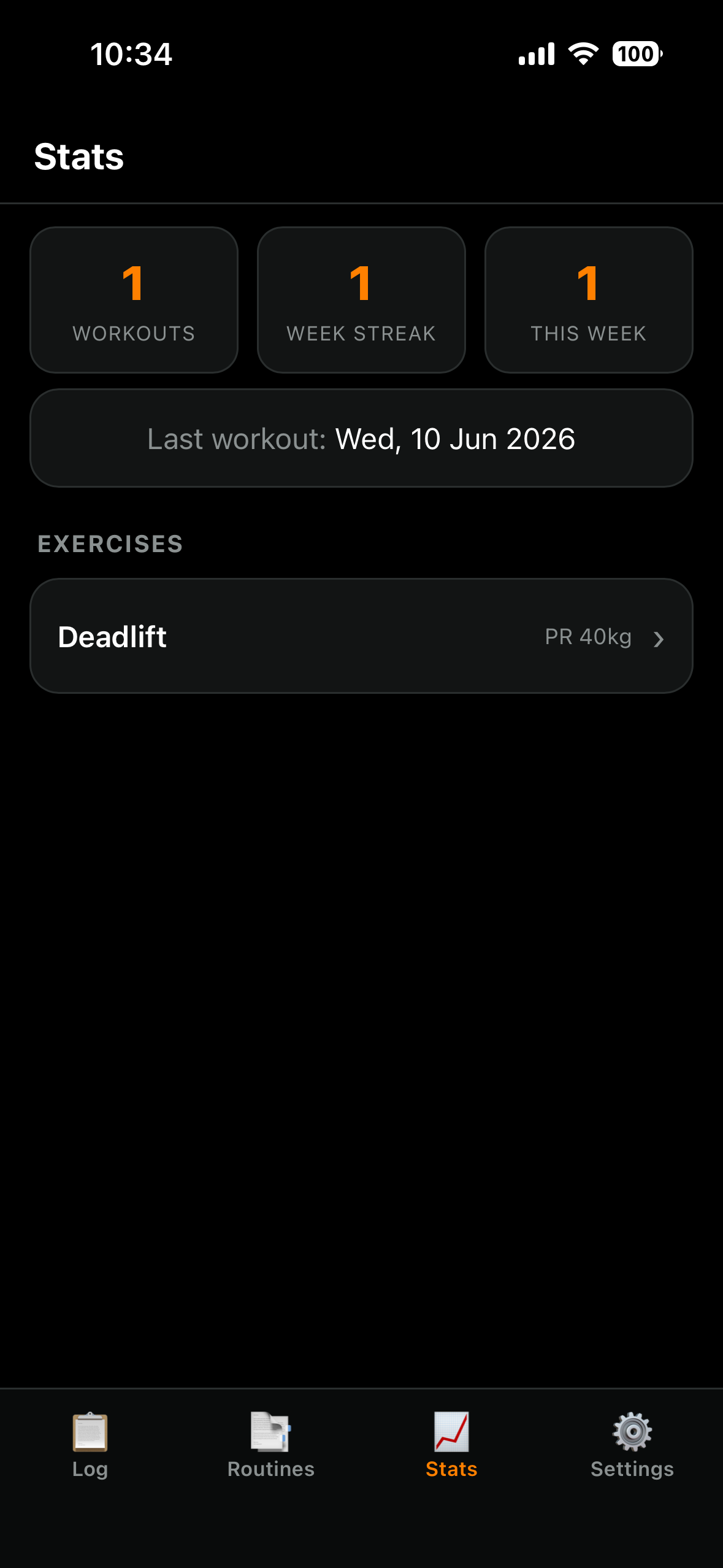
Progress stats screen

Features

🎯

Guided progression

Type Set 1's weight and the warm-ups and back-off sets fill in automatically. Each session it sets the rep goal for me, then adds weight when I hit the top of the range.

🔁

Two training schemes

Switch between V1 and V2 progression depending on the training cycle. Each scheme keeps its own history, so the numbers never get crossed.

⏱️

Rest timer

Auto-starts after each set with presets, a pause control, and a chime when the rest is up.

📈

Progress charts

Top-set weight and estimated 1RM plotted over time, with personal records per exercise.

Quick Log

For off-plan days: log a walk, ruck, yoga, HIIT or kettlebell session with time, distance, weight and calories.

📅

Backdating

Forgot your phone at the gym? Log the session later with a proper date and time picker.

How it's built

Vanilla HTML, CSS & JS No framework, no build step PWA: service worker + manifest Offline-first localStorage only Chart.js GitHub → Netlify auto-deploy

Everything runs client-side. The service worker caches the app for offline use, the manifest makes it installable to the iOS home screen, and a push to GitHub deploys it in about thirty seconds.

Install it on your phone

It is a Progressive Web App, so there is no App Store to deal with. Open the app on your phone, add it to your home screen, and it runs full-screen and offline like any other app. Your data stays on your own device.

  1. iPhone (Safari): tap the Share button, then "Add to Home Screen".
  2. Android (Chrome): tap the menu, then "Install app" or "Add to Home screen".